Getting a lead is only half the job. The other half is what happens in the next ten minutes: who sees it, who calls back, what gets written down, and whether anyone remembers to follow up on Thursday.
Most local businesses run that process out of an inbox, a phone's missed-call list and a spreadsheet. Leads slip through the cracks, and nobody can say which marketing channel actually produced the customers who paid.
Our lead management system fixes that. It runs on Despora, the platform we built and use ourselves for every client. Every form submission and phone call lands in one place, gets scored by AI, and is worked through a simple triage desk until it's either a signed contract or a closed-out dead end.
One Place for Every Lead
Whether a prospect fills out your contact form, calls your tracking number, or replies to an outbound campaign, they show up in the same system with the same record.
The lead attribution view. Names and phone numbers in every screenshot on this page have been replaced with placeholders.
For every lead you can see:
- Source and medium — organic, direct, referral and so on, and whether the lead came in by form or by call
- Location (state) and the number of touchpoints before they converted
- Call duration for phone leads
- Estimated value and estimated lifetime value, so you know which leads are worth chasing first
- Status — approved, pending or disapproved
- AI score — a 0–100% quality score so a spam submission and a ready-to-buy customer don't look the same
- Sold — a checkbox to mark a lead as closed so revenue reporting stays accurate
At the top, summary cards show total leads, approved and pending counts, estimated revenue and estimated customer lifetime value for the date range you pick. You can filter by traffic source, device and region.
AI Scoring Cuts Out the Noise
Raw lead counts are misleading. A form fill from a bot, a robocall and a wrong number all count as "leads" in most reports.
Every lead in the system is analyzed by AI and given a score. Low-scoring contacts are flagged Disapproved so they don't pad your numbers, and high-intent leads are surfaced as Approved. Phone calls are recorded, transcribed and classified, so you can read what was actually said instead of guessing. The result is a lead count you can trust, and a clear basis for the pay-per-lead pricing we use: you only pay for qualified leads you approve.
The Triage Desk
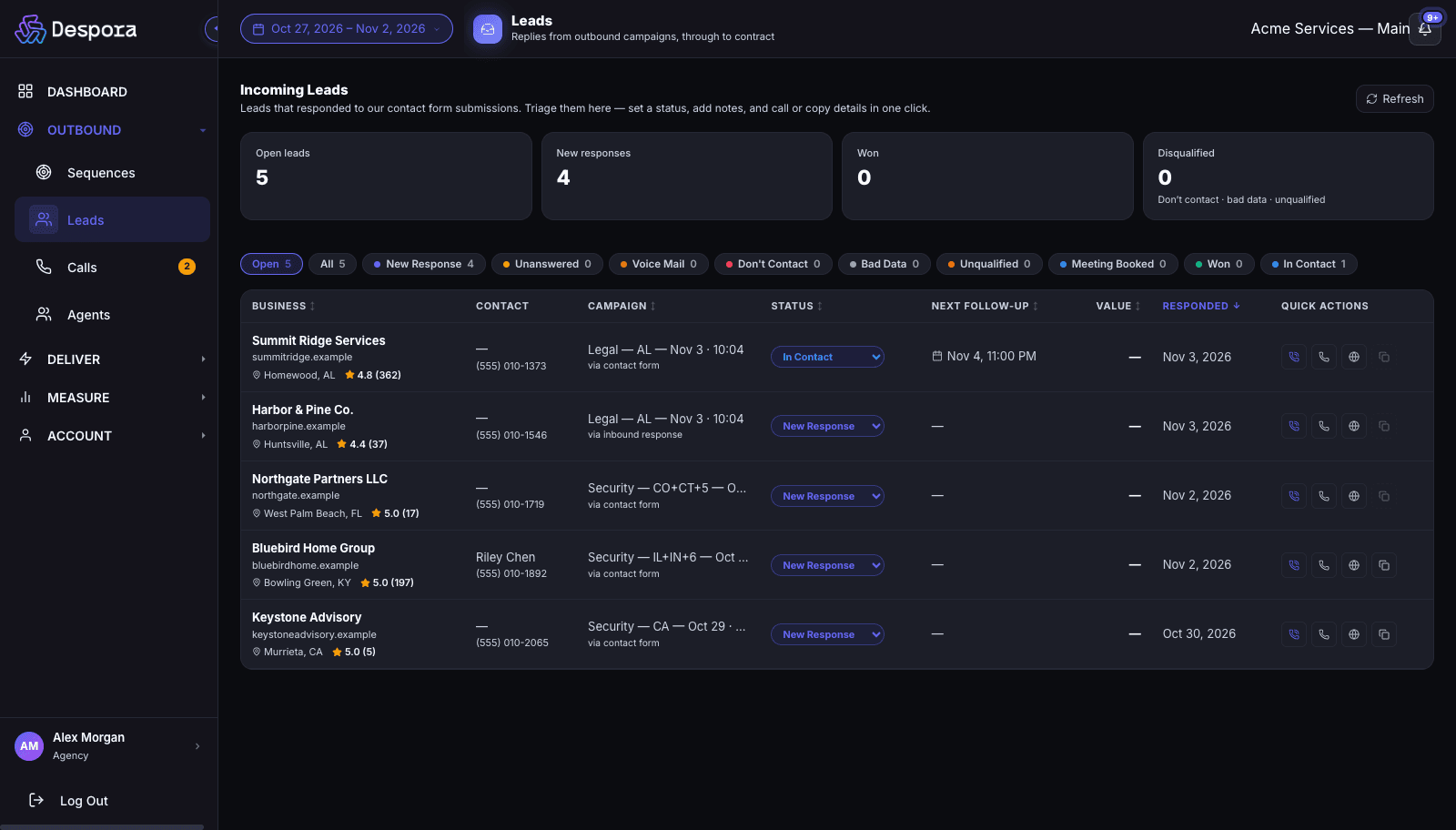
Approved leads land on the triage desk, a single screen designed for the first response.
Each row shows the business, the contact person and phone, where the lead came from, its status, the next scheduled follow-up and one-click actions to call, copy details or open the website. Filter chips across the top let you jump to what needs attention right now.
Every lead moves through clear dispositions:
| Status | What it means |
|---|---|
| New Response | A fresh reply nobody has touched yet |
| Unanswered / Voice Mail | You tried, they didn't pick up |
| In Contact | A conversation is under way |
| Meeting Booked | A next step is on the calendar |
| Won | Contract signed |
| Don't Contact / Bad Data / Unqualified | Closed out, and kept out of future outreach |
Counters above the table show open leads, new responses, won deals and disqualified leads at a glance.
Everything About a Lead, in One Drawer
Click any lead and a detail drawer opens with the full picture.
- Contact details you can edit — firm name, contact person, phone and website, with one-click copy
- Google rating and review count and location, so you know who you're calling
- Handled-by history — which team members have called this lead and when
- Stage and deal value — move the lead through your pipeline and record what it's worth, then mark Contract signed (Won) when it closes
- Tasks and reminders — schedule a callback and it appears under Upcoming
- Follow-up email — write and send from the drawer; replies are logged against the lead automatically
- Quick notes — jot a note and it saves automatically when you click away
- Documents — upload contracts, proposals or IDs (up to 10 MB each) and keep them attached to the lead
Because calls are logged against the same record, you can open a lead and hear the recording and read the transcript of every conversation, with no separate call-tracking tool to log into.
Built for Teams
- Per-person ownership — see which agent handled each lead and call, and filter by team member
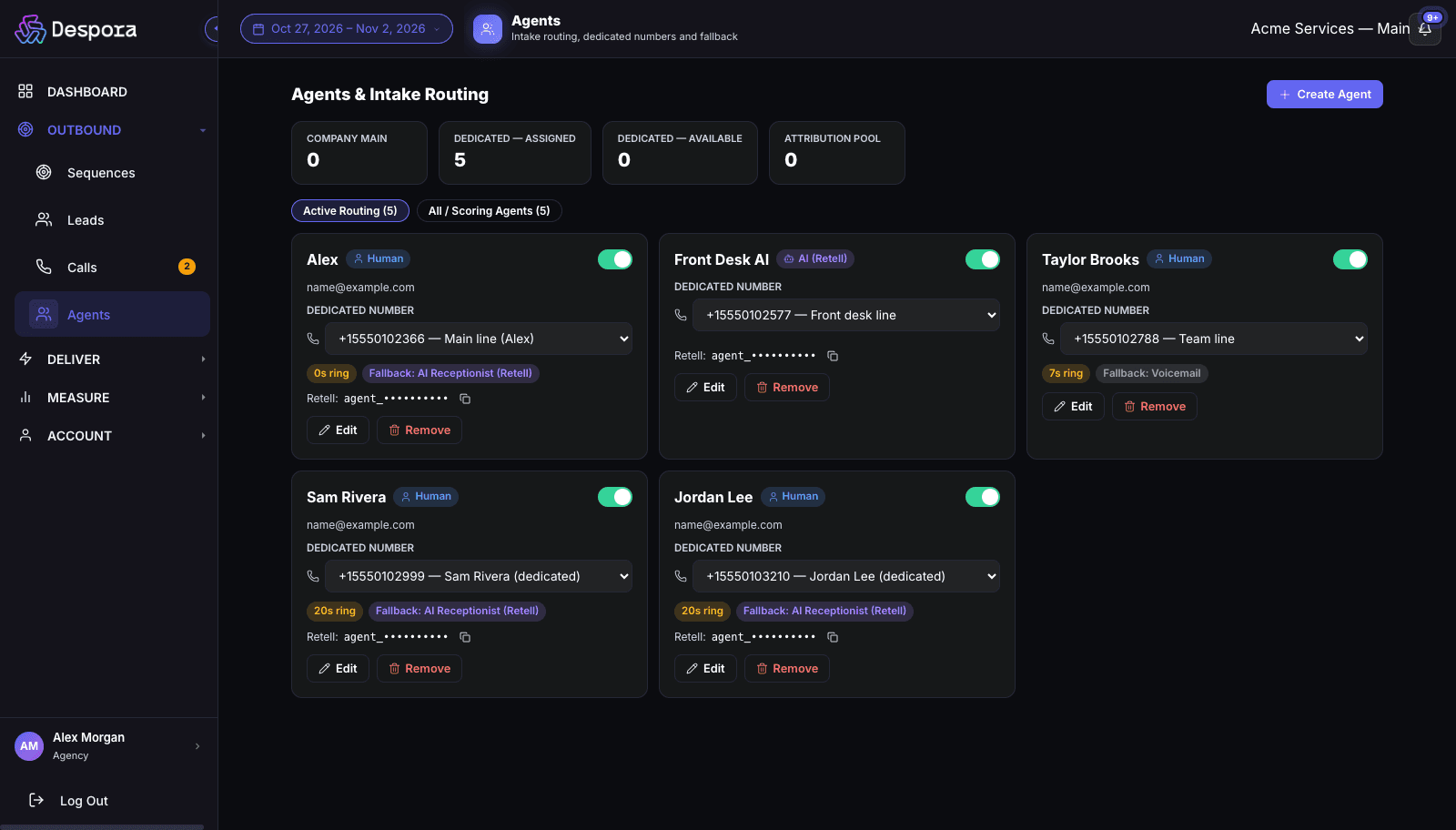
- Dedicated phone numbers per team member so callers reach the right person
- Unread voicemail badges and email alerts so a missed call becomes a follow-up task, not a lost customer
- Date-range reporting across leads, calls and conversions
What You Get
- A lead management system set up and configured for your business
- Form and call tracking connected to your website
- AI scoring and verification on every lead
- Triage desk, pipeline stages, notes, tasks, email and document storage
- Reporting that ties leads to revenue
Pair it with SEO and GEO to bring in organic leads, an AI answering service so no call goes unanswered, and B2B outreach campaigns if you sell to other businesses.
Talk to us about lead management
Frequently Asked Questions
What is a lead management system?
A lead management system captures every inquiry a business receives, from forms, phone calls and campaign replies, and tracks each one from first contact to closed deal. It records the source, scores lead quality, assigns an owner, stores notes and follow-up tasks, and reports which channels produce revenue.
Is this a CRM?
It covers the parts of a CRM that local lead-generation businesses use every day: contact records, pipeline stages, deal values, tasks, notes, email and documents. It's built around lead sources and attribution rather than long, complex sales cycles, so it's quick to learn and your team will actually use it.
How does AI lead scoring work?
Each lead, together with its source, behavior and, for calls, its recording and transcript, is analyzed and given a quality score. Spam and irrelevant contacts score low and are flagged as disapproved, while genuine prospects score high.
Can I see phone calls as well as web forms?
Yes. Calls are logged with duration, recording, transcript and an AI-assigned outcome, and are linked to the same lead record as the form submission, so you see the whole history in one place.
Do I need to install anything?
No. It runs in the browser. Your team signs in, and calls can be placed and answered directly from the browser.
How much does it cost?
Pricing depends on your lead volume and team size. Contact us and we'll scope it with you. For leads generated by our own lead generation services, the lead desk is part of the system we run for you.