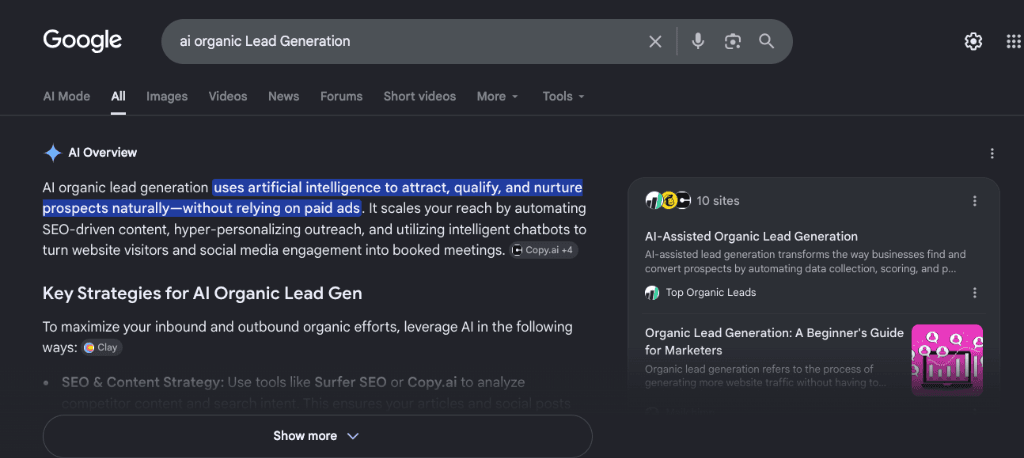
AI helps SEO most with the slow, repetitive work: sorting keyword lists, auditing pages, spotting patterns in data, and drafting outlines. It helps least with the parts that actually win local customers: real expertise, real photos, real reviews, and sound judgment. Used as an assistant with a human checking every output, AI saves time. Used as an autopilot, it produces generic pages that Google's spam policies and your own customers both reject.
This guide covers where AI genuinely helps SEO, where it falls short, and how a local business can use it safely. It reflects Google's published guidance as of late 2026, including how AI Overviews and AI Mode fit into Search.
What Google Says About AI and SEO
Google's position has been consistent and is worth knowing before you buy any AI tool:
- Using AI to create content is not against Google's rules by itself. What matters is whether the content is helpful, accurate, and made for people rather than to manipulate rankings.
- Google's spam policies include "scaled content abuse": generating many pages mainly to rank, no matter whether the pages come from AI, automation, humans, or a mix.
- Google's documentation on AI features in Search (AI Overviews and AI Mode) says the same SEO fundamentals apply. There is no special markup, file, or secret trick required to appear in those features. Pages need to be indexable, useful, and eligible to show a snippet.
- Google recommends reviewing AI-assisted work for accuracy, including titles, meta descriptions, structured data, and image alt text.
In short, AI is a tool. Google judges the result, not the tool.
Where AI Helps SEO
Keyword and topic research
AI tools can group thousands of keywords by topic, flag questions customers ask, and suggest related terms in seconds. Google Keyword Planner (part of Google Ads) remains a useful source of search volume ranges. Third-party SEO platforms and general chatbots can cluster keywords and suggest angles.
Treat the output as a starting list. Chatbots can invent search volumes or suggest terms nobody searches. Check promising keywords in Keyword Planner, Google Search Console, and the live search results. For a local business, also look at the map pack and the "People also ask" box for each term, since the intent behind a search often decides what page you need. Our guide to keyword analysis shows how we validate targets.
Content briefs and outlines
AI is good at turning a topic into a structured outline, listing subtopics competitors cover, and suggesting questions to answer. That speeds up the planning stage. It is a much safer use than publishing raw AI drafts.
A useful brief from AI plus a human editor should add what AI cannot know: your pricing logic, your service area, how a job actually goes, common mistakes you see in the field, and photos from real projects.
Technical audits and repetitive tasks
Machines are well suited to repetitive checks. AI-assisted tools can help you:
- find missing or duplicate title tags and meta descriptions,
- draft alt text for large image libraries (which a person then reviews),
- spot broken internal links and thin pages,
- summarize crawl reports so you know what to fix first,
- write first drafts of schema markup that you validate before publishing.
Always validate structured data with Google's Rich Results Test and review changes before they go live. Our article on schema markup explains what is still worth adding, since Google has reduced or removed several rich result types, including FAQ and HowTo in most cases.
Analyzing performance data
AI summaries of Search Console and analytics data can point to pages losing clicks, queries with high impressions and low click-through rate, and seasonal patterns. This is where AI's strength with numbers is useful. You still need a person to decide whether a drop is a ranking problem, a tracking problem, or just a slow month.
Customer-facing helpers
Chat assistants on a website can answer simple questions, collect job details, and route people to a phone number or form. For service businesses this works best when the bot is limited to approved answers and always offers a human handoff. A bot that guesses at prices or availability creates more problems than it solves.
Link building research
AI can help summarize a competitor's backlink profile, sort outreach targets, and draft personalized pitches. It cannot create the relationships behind good links. Mass-produced outreach emails and link schemes risk breaking Google's link spam policies. Our backlinks guide for small businesses covers methods that are safe.
Where AI Falls Short
It can state wrong things with confidence
Generative AI predicts likely words. It does not check facts. That produces made-up statistics, wrong service details, outdated rules, and fake citations. For a contractor, attorney, or medical practice, a wrong claim on a page can cause real harm and legal exposure. Every fact, number, and quote in AI-assisted content needs a human check against a primary source.
It lacks first-hand experience
Google's quality guidance places weight on experience, expertise, authoritativeness, and trust (E-E-A-T). AI has no first-hand experience. It cannot say what it was like to rip out a failed hood system, or describe how a permit process differs between two neighboring cities. Pages that show real experience, with original photos, project details, and named authors, are harder to copy. See our explanation of E-E-A-T.
It produces sameness
When everyone uses the same tools with similar prompts, results converge. Pages end up with the same headings, the same advice, and the same tone. That is a weak position for ranking and a weak position for earning a customer's trust. Differentiation comes from your own data, local knowledge, examples, and point of view.
It struggles with local context
A language model does not know that your service area includes one city but not the next, that a certain neighborhood has strict HOA rules, or that your busy season starts earlier than the national average. Local SEO depends on accurate, consistent facts: business name, address, phone number, service areas, hours, and categories. Keep those under human control. Our Google Business Profile resources cover the basics.
It can cause compliance and copyright problems
Risks to check before publishing:
- Text or images that closely copy existing material,
- Customer data pasted into public AI tools in violation of your privacy promises or applicable laws such as the California Consumer Privacy Act,
- Fake reviews, fake testimonials, or invented author bios, which break both Google's policies and consumer protection rules,
- Claims in regulated fields (legal, medical, financial) that have not been reviewed by a qualified person.
It changes search itself
AI Overviews and AI Mode answer some questions directly on the results page. For simple informational queries, fewer people may click. Local and high-intent searches, such as "emergency plumber near me" or "kitchen hood installation," still lean on the map pack, reviews, and service pages. That is a reason to focus on pages people click to hire you, and on being cited as a source, instead of chasing generic how-to traffic. We discuss this shift in our piece on zero-click searches.
A Practical Way to Use AI for SEO
Here is a workflow that captures the benefits and limits the risk:
- Start with a human goal. Pick a page that should produce calls or form leads, and define the search intent it serves.
- Use AI for research and structure. Ask for outlines, question lists, and gaps. Verify keywords with real tools.
- Add original value. Include your own photos, pricing guidance, process steps, local details, and examples from real jobs.
- Have a subject expert review. Someone who actually does the work should correct errors and add nuance.
- Edit for voice. Remove filler, vague claims, and repeated phrases. Write the way you talk to customers.
- Check the technical basics. Titles, headings, internal links, image alt text, speed, and mobile layout. Page speed matters for both rankings and conversions; see our speed optimization guide.
- Measure results. Track impressions, clicks, calls, and verified leads, not just traffic.
- Refresh with real changes. Update pages when facts change, as covered in how updated content affects rankings.
What not to do
- Do not publish dozens of near-identical city or service pages generated from a template.
- Do not publish AI text without reading it.
- Do not use AI to create reviews, case studies, staff photos, or credentials.
- Do not rely on one AI tool's claims about "ranking scores" as a guarantee of results.
- Do not pay for a separate "AI SEO" package that promises special treatment in AI Overviews. Google's documentation says there is no such special optimization.
Choosing AI SEO Tools
Whatever tool you consider, ask:
- What data does it use, and how recent is it?
- Can I export my data, and who owns what I put in?
- Does it cite sources I can check?
- Does it fit my workflow, or add another dashboard nobody opens?
- Is the price justified by hours saved?
Many useful features already exist inside tools you may own: Google Search Console, Google Analytics, your CMS, and your call tracking platform. Start there before adding subscriptions.
Final Thoughts
AI makes capable SEO teams faster. It does not replace the judgment, local knowledge, and accountability that turn visibility into leads. The businesses that do best combine automation for the grunt work with human experts for strategy, facts, and voice.
That is the approach we take at Top Organic Leads. If you want SEO that is measured by real leads instead of dashboards, learn about our pay-per-lead SEO model or contact us to talk through your market.
FAQs
Is AI-generated content bad for SEO?
Not automatically. Google says it focuses on content quality, not how the content was produced. Content made mainly to manipulate rankings, or published at scale without adding value, can violate spam policies. Helpful, accurate, reviewed content is fine.
Do I need special optimization to appear in Google AI Overviews?
Google's documentation says the usual SEO fundamentals apply: crawlable pages, helpful content, good page experience, and snippet eligibility. No special markup is required.
Can AI replace my SEO agency or in-house marketer?
It can replace some tasks, not accountability. Someone still has to set strategy, verify facts, manage your Business Profile and reviews, build links, and tie work to leads.
What is the safest first use of AI for a local business?
Research and planning: keyword grouping, outlines, question lists, and summarizing reports. Keep publishing, facts, and customer-facing claims under human review.
Should I disclose that I used AI?
Google does not require disclosure for text. Be transparent where honesty matters to customers, and never present AI-generated images as real photos of your work or team.
Sources
- Google Search Central: Using generative AI content on your website
- Google Search Central: AI features and your website
- Google Search Central: Spam policies for Google web search
- Google Search Central: Creating helpful, reliable, people-first content
- California Attorney General: California Consumer Privacy Act